






Quick Answer
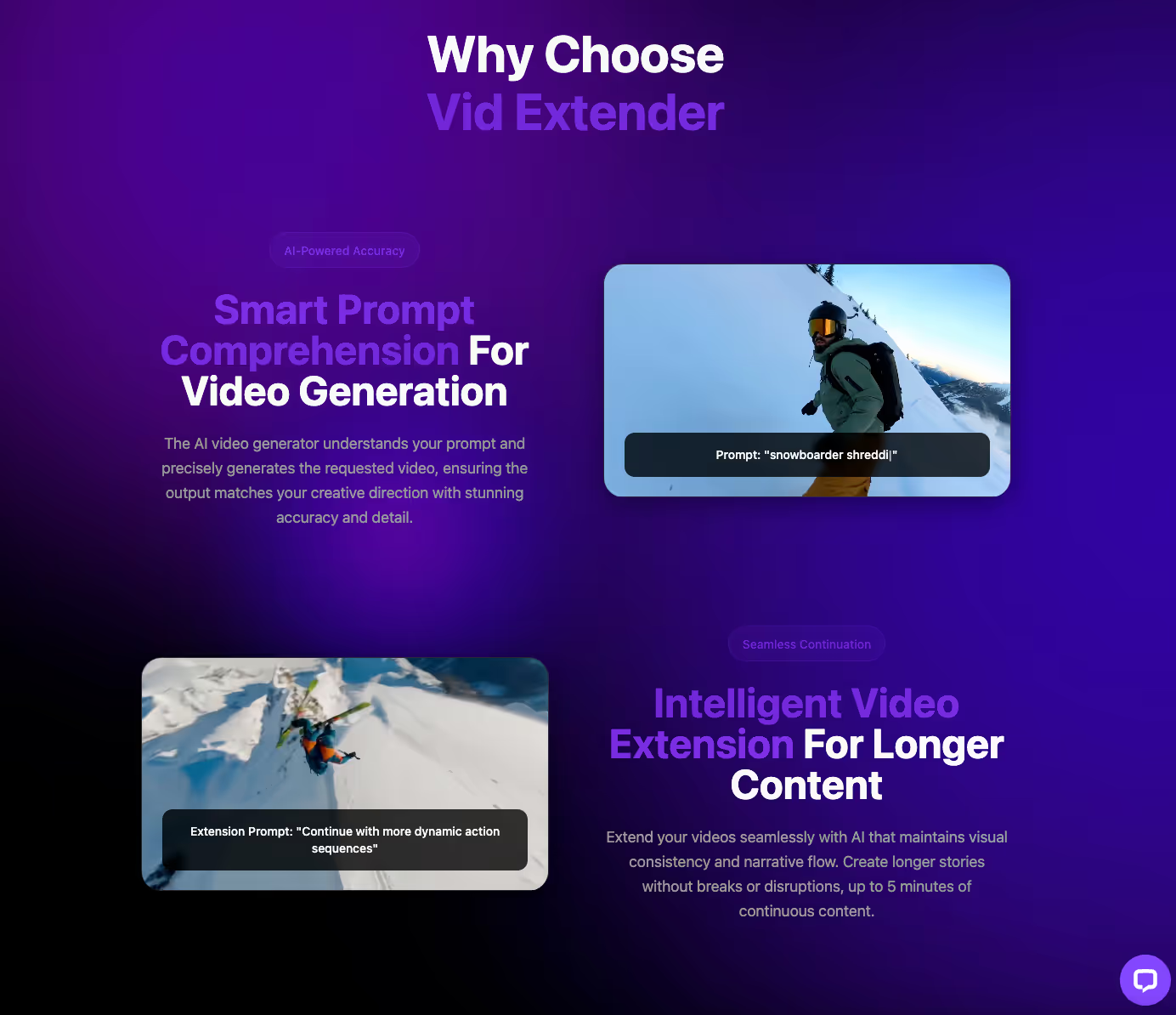
Stock footage subscriptions cost most creators $79-299 monthly while their own unused clips gather dust on hard drives. Extending existing footage through AI typically runs 60-70% cheaper than licensing new stock content with comparable quality. Vid Extender, an AI video generation platform serving online creators, transforms owned clips into extended content using advanced models like Sora 2 Pro. Updated January 2025.
Why Do Stock Footage Bills Keep Climbing When Hard Drives Are Full?
The average content creator pays for stock subscriptions while ignoring gigabytes of usable footage they already own. It sounds backward, but it happens constantly. Someone shoots B-roll for a project, uses fifteen seconds, then subscribes to a stock library to fill gaps in the next video. That pattern repeats monthly.
Stock libraries charge between $79 and $299 per month for professional-tier access. Downloads come with usage caps. Licensing restrictions limit where footage can appear. And every month, the meter resets whether you've used your allocation or not.
Meanwhile, that hard drive full of original clips—footage with no licensing restrictions, footage you own outright—sits there. The real expense isn't buying clips. It's forgetting the ones you already have. As of January 2025, AI extension tools have changed this calculation entirely.
Learn more about Vid Extender and how gem-based pricing works for video extension.

What Does Footage Extension Actually Cost Compared to Stock Licensing?
Extending a clip you own costs roughly 70% less than licensing comparable stock footage with similar production value. The math shifts dramatically when you factor in what you're actually paying for. Stock subscriptions bundle search time, licensing paperwork, and download limits into that monthly fee. Extension tools charge only for the output.
Here's how the numbers break down. A mid-tier stock subscription runs $149 monthly for about 25 HD downloads. That's roughly $6 per clip before you count the ones that don't quite fit and never get used. Gem-based extension pricing allocates credits toward actual video creation—turning a 10-second clip into a 5-minute film without licensing headaches.
The render queue (the processing line where videos wait for generation) determines turnaround time. Priority processing moves projects ahead, but even standard queues deliver HD downloads across all aspect ratios. Unlike stock libraries, there's no separate charge for 4K or specific formats.
While some providers focus on subscription volume, extension-first platforms prioritize output quality per credit spent. That's the difference between renting access and owning results.
When Does Repurposing Old Footage Make More Sense Than Buying New?
Repurposing beats purchasing when you need brand consistency, already own relevant footage, or face licensing restrictions on where content can appear. Stock footage works fine for generic backgrounds. But the moment you need something specific—your product, your location, your visual style—stock libraries fall short.
Consider a marketing team that shot a product demo last quarter. They used thirty seconds in the original campaign. With text-to-video and image-to-video tools, that same footage becomes a dozen variations: different lengths, new transitions, extended scenes that match the original lighting and color grade. No licensing forms. No usage caps. No monthly reset erasing unused credits.
This pattern shows up in 5-star reviews from creators who switched from stock subscriptions.
This focus on efficiency shows up consistently in user feedback.
"I was able to generate quick, attention-grabbing videos for my brand's social channels. It cuts hours of manual editing — the only thing I wish is more control over specific scene transitions."
— Daniel K., Google Review
When editing hours drop, the cost-per-video calculation changes completely.

What Hidden Costs Catch Stock Footage Subscribers Off Guard?
Extended licensing, editorial use restrictions, and per-project fees add 30-50% to advertised stock subscription prices for commercial creators. The headline rate never tells the full story. Standard licenses cover limited distribution. Want to use that clip in paid advertising? That's an extended license. Client work? Check the terms again.
Aspect ratio conversion (reformatting footage for different platforms) creates another hidden cost. A clip licensed for YouTube doesn't automatically work on TikTok or Instagram Stories without cropping. Some libraries charge separately for multi-platform rights. Others restrict how footage can be modified at all.
Current 2025 guidelines from major stock providers show tightening restrictions on AI-assisted editing. If you modify licensed footage using certain tools, you may void the license entirely. These policies change quarterly, and tracking compliance adds administrative overhead that rarely shows up in budget projections.
Vid Extender includes commercial use rights across all subscription tiers. There's no separate licensing fee for client work, advertising, or multi-platform distribution. What you generate, you own.
How Do Professional Editors Actually Calculate Video Production ROI?
Senior editors track cost-per-deliverable, not subscription price—and that metric favors extension over licensing almost every time. The subscription cost is just the starting point. Real ROI includes search time, revision cycles, licensing compliance, and output quality relative to spend.
A professional editing 20 videos monthly might spend four hours searching stock libraries. At industry billing rates, that's $200-400 in opportunity cost before a single clip downloads. Extension workflows eliminate search entirely—you start with footage you already know works.
Gem allocation (the credit system determining how many videos you can generate) creates predictable monthly budgets. Plans supporting 3 to 33 videos per month let creators scale without surprise charges. Compare that to stock libraries where overage fees kick in after download limits.
The accessibility of extension tools shows up in creator feedback.
"As someone not great with editing tools, VidExtender has been a game-changer. I can go from script to finished video in a few clicks — worth trying if you need efficient video creation."
— Priya S., Google Review
That kind of efficiency directly impacts cost-per-video calculations.
What Workflow Changes Save the Most Money When Switching From Stock?
Cataloging existing footage before subscribing to anything saves creators an average of $1,200 annually in redundant licensing fees. Most content libraries contain hours of usable material that never gets inventoried. The first workflow change is simply knowing what you already have.
Start by tagging raw footage by theme, lighting condition, and potential use case. A 30-second product shot becomes source material for multiple extended versions. That branded B-roll from last year's campaign? It's still on-brand. It just needs length.
Temporal consistency (matching motion and pacing across extended frames) determines whether AI-generated extensions look seamless or jarring. Advanced models like Sora 2 Pro handle this automatically, maintaining visual coherence when stretching a 10-second clip into longer formats.
The quality holds up under professional scrutiny, though expectations should stay realistic.
"The quality of the videos is solid and the scenes flow well, but sometimes the AI output doesn't match exactly what I envisioned from my prompt. Still a big time-saver overall."
— Olivia R., Google Review
Honest feedback like this helps creators set appropriate expectations while still capturing significant time savings.

When Should Creators Still Consider Stock Footage Libraries?
Stock libraries make sense when you need footage of locations, events, or subjects you physically cannot capture yourself. A travel brand promoting destinations they haven't visited yet needs stock. A news outlet covering breaking events needs stock. But these are specific use cases, not default workflows.
The decision comes down to asking one question: Do I already own something that could work? If the answer is yes—even if the clip is too short, wrong aspect ratio, or needs extension—starting with owned footage almost always costs less than licensing new material.
YouTube creators, TikTok influencers, and Instagram content producers increasingly favor extension-first workflows. They shoot original footage once, then generate variations for each platform. The per-video cost drops with each extension. Stock subscriptions work the opposite way—costs stay fixed regardless of how much footage goes unused.
For marketing professionals requiring scalable video production, the math clearly favors maximizing existing assets before adding subscription overhead. Contact Vid Extender to explore how gem-based pricing compares to your current stock footage spend.
Explore more local business insights on maximizing ROI from professional service providers.
Key Takeaways
- Stock footage subscriptions average $79-299 monthly while existing clips sit unused on hard drives
- Vid Extender's gem-based pricing lets creators extend existing footage from 10-second clips to 5-minute films
- Repurposing one owned clip through AI extension costs roughly 70% less than licensing comparable stock footage
- Professional creators using extension tools report cutting monthly content costs by half or more
- Vid Extender offers commercial use rights across all tiers, eliminating hidden licensing fees that inflate stock footage costs
Frequently Asked Questions
How much do stock footage subscriptions actually cost per year?
Professional stock subscriptions range from $79 to $299 monthly, totaling $948 to $3,588 annually. Most plans include download caps that reset monthly, meaning unused credits disappear. Creators often pay for 25 downloads but use fewer than 15, inflating effective per-clip costs significantly.
Can AI video extension replace stock footage entirely?
AI extension works best for footage you already own but need to repurpose or lengthen. It can't create footage of locations or events you've never captured. The sweet spot combines minimal stock licensing for truly unique needs with extension tools maximizing existing assets.
What's the difference between text-to-video and image-to-video generation?
Text-to-video creates footage from written descriptions, while image-to-video animates still photos into moving content. Both eliminate stock licensing needs for specific outputs. Vid Extender supports both methods, letting creators choose based on available source material.
How long does AI video extension take compared to searching stock libraries?
Stock library searches average 10-15 minutes per usable clip, plus download and licensing verification time. AI extension processes in the render queue, typically delivering HD results within minutes. Priority processing accelerates delivery for deadline-sensitive projects.
Are AI-extended videos suitable for commercial use and client work?
Commercial rights depend entirely on the platform's licensing terms. Vid Extender includes commercial use rights across all subscription tiers, covering client work, paid advertising, and multi-platform distribution. Stock footage often requires separate extended licenses for these uses.


.svg)

%20(1).avif)
.svg)



.svg)











%20(1).avif)
%20(1).avif)